EmCan design system rework
From a library of styles to primitives, semantic tokens and components.
EmCan’s design system was a set of text styles and colour styles. I started a semantic token layer on top of it but didn’t maintain it: as the only designer, I had to choose between shipping deliverables and keeping the system up, and the deliverables won.
In 2026, after leaving, I rebuilt it in three layers: primitives, then semantic tokens, then components.
The brief
- Product
- EmCan is a national fuel and retail loyalty super-app with more than 100,000 users on iOS, Android and web. I was its Lead Product Designer and governed its design system across all three platforms.
- Business model
- EmCan is free for customers. Emarat runs it to drive repeat fuel and convenience-store spend at its stations, and to build direct, data-driven customer engagement.
- Why it mattered
- Every screen was designed in English first, then rebuilt by hand for Arabic: each layout mirrored from left-to-right to right-to-left, and every text style swapped to the Arabic font, screen by screen. With direction-aware tokens and components, that would have been one switch per component instead of a rebuild of every screen.
The problem
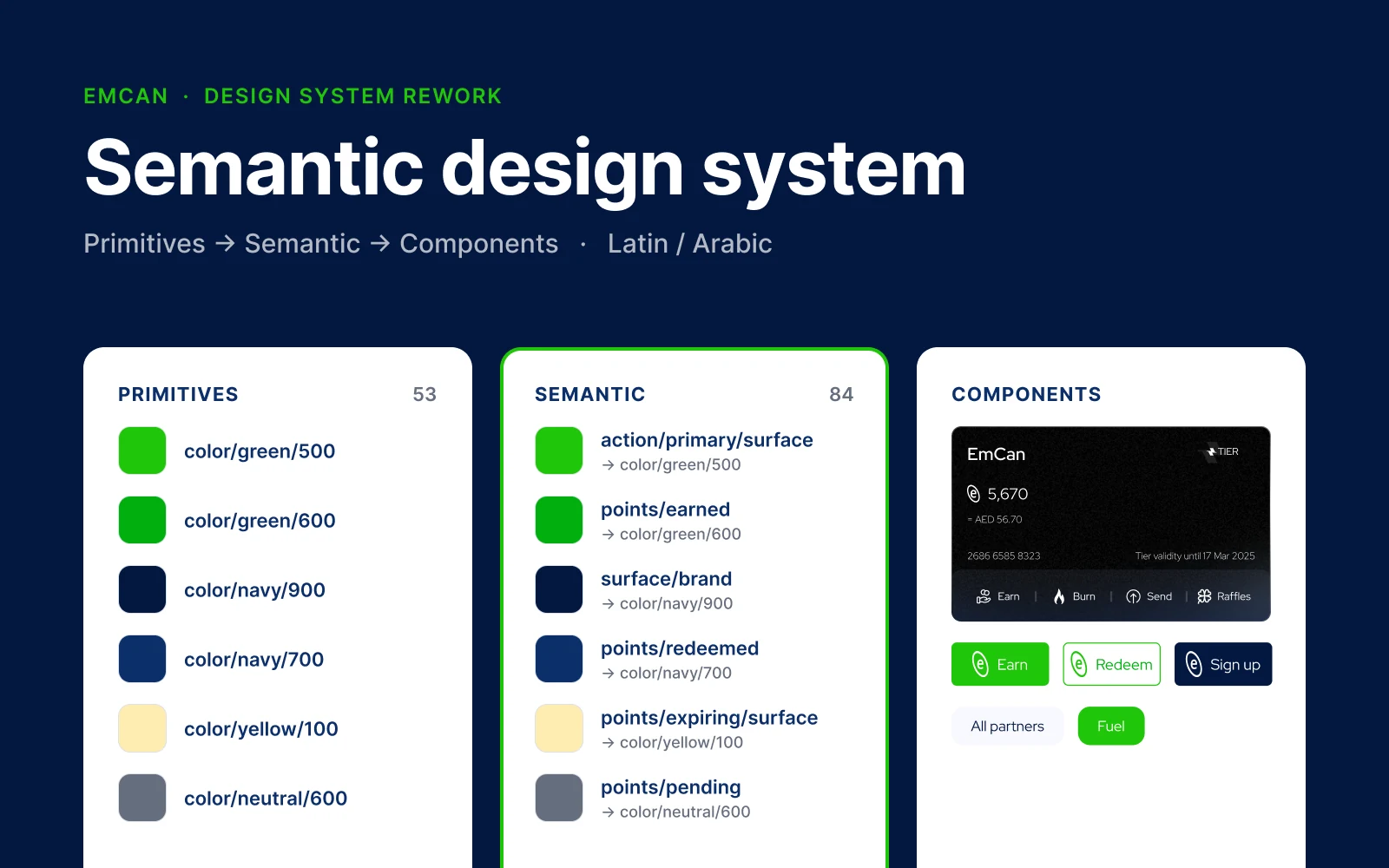
I traced every style in the shipped file back to a role. The app is light mode only, so the rework covers the light theme. It lands as 53 primitives, 84 semantic tokens, a Script collection with Latin and Arabic modes (26 tokens covering typeface, weights, line heights and reading direction), and an icon-tone collection.
Styles without a layer of meaning
The original system had text and colour styles only, with no way to handle direction. I started a semantic layer, but as the solo designer I had to choose between shipping and maintaining it, so it drifted. Colour wasn’t the roadblock, since the app was light mode only. Left-to-right to right-to-left was.
The decisions
Three layers, each with one job
Primitives hold raw values, semantic tokens give them meaning, and component tokens say where they’re used. I first tried separate English and Arabic text styles, but every screen still had to be swapped style by style and mirrored by hand. The trade: more setup up front, so a language switch happens at the component level instead of on every screen.
Deep dive
From primitive to component
Pick any token to see what it’s built from and what uses it.
The constraint is direction. Spacing is start and end rather than left and right, components mirror, and each semantic text token pairs a Latin style with an Arabic one.
Primitives 53
Semantic 84
Component · icon tone 8
Script 26
| Token | Latin | Arabic |
|---|---|---|
| font/family/base | Red Hat Display | Noto Sans Arabic |
| flow | LTR | RTL |
| weight/display/hero | Bold | SemiBold |
| line-height/display/hero | 64 | 72 |
| weight/display/subtitle | Regular | Regular |
| line-height/display/subtitle | 26 | 32 |
| weight/heading/h1 | Medium | SemiBold |
| line-height/heading/h1 | 32 | 36 |
| weight/heading/h2 | SemiBold | SemiBold |
| line-height/heading/h2 | 26 | 32 |
| weight/heading/h3 | SemiBold | Medium |
| line-height/heading/h3 | 24 | 28 |
| weight/title/section | SemiBold | Medium |
| line-height/title/section | 24 | 28 |
| weight/title/component | SemiBold | Medium |
| line-height/title/component | 22 | 26 |
| weight/body/default | Regular | Regular |
| line-height/body/default | 22 | 26 |
| weight/caption/default | Light | ExtraLight |
| line-height/caption/default | 20 | 24 |
| weight/caption/strong | Medium | Medium |
| line-height/caption/strong | 20 | 24 |
| weight/caption/small | Light | Light |
| line-height/caption/small | 16 | 20 |
| weight/label/micro | Regular | Regular |
| line-height/label/micro | 14 | 16 |
Final design
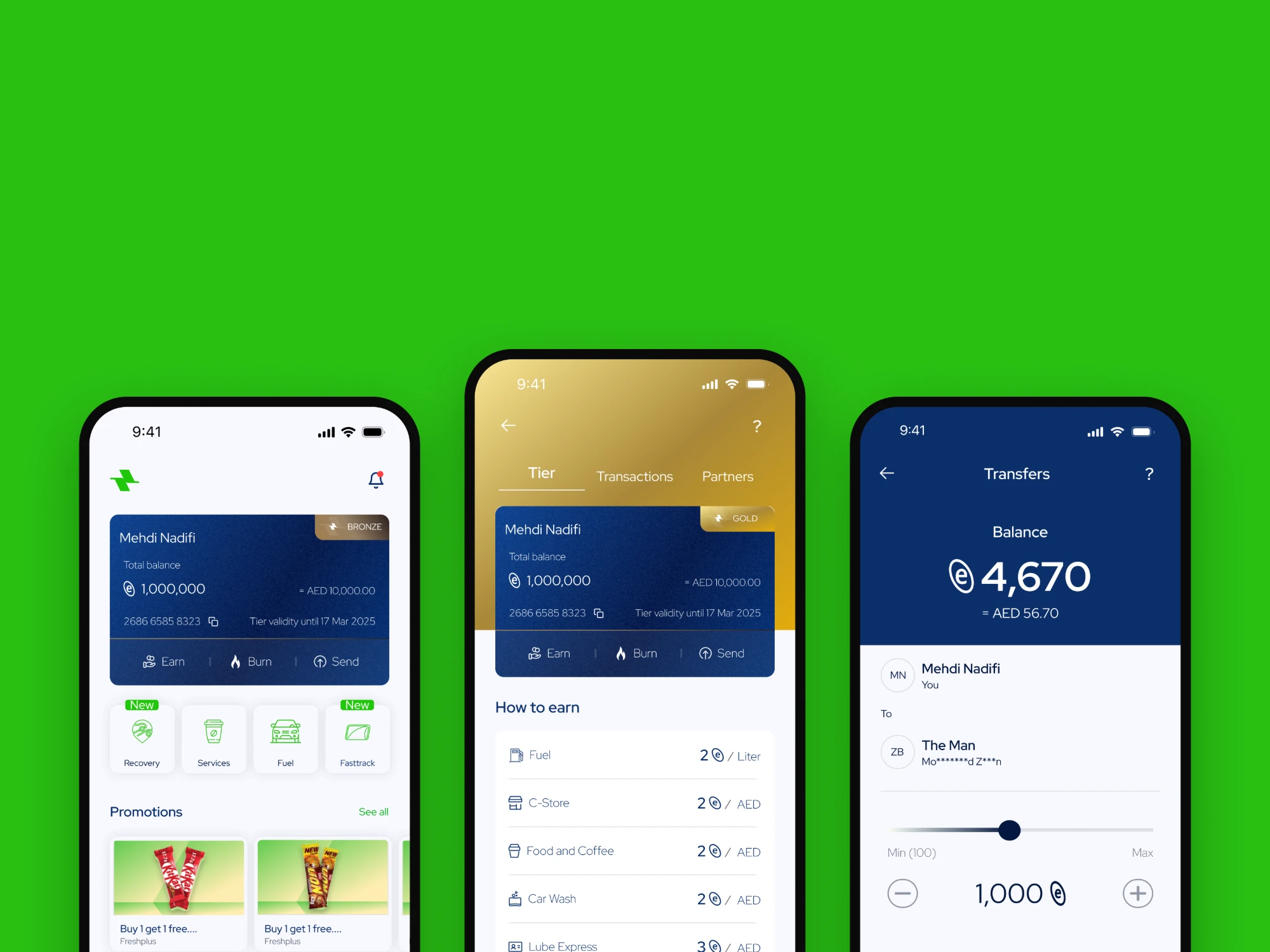
- One balance card across home, tier and transfers. The tier changes its badge and header colour, not the component.
- Earn, Burn and Send sit in a single action bar under the balance.
- Light theme only, as scoped.
What I’d measure
How many edits a brand-colour or typeface change takes before and after, and how many hardcoded values a script audit finds per screen.