EmCan × Blue Rewards
Linking two loyalty programmes without rebuilding either one.
In 2024 EmCan linked accounts with Al-Futtaim Blue Rewards, its first partner-loyalty integration, so members of both programmes could discover and earn across each other from the same purchase.
The hard part was identity: two apps, two identity systems, and no shared key.
I owned the UX of the linking flow end to end. The technical approach and API architecture were decided together with EmCan’s PMO, EmCan’s tech team and Blue Rewards’ tech team.
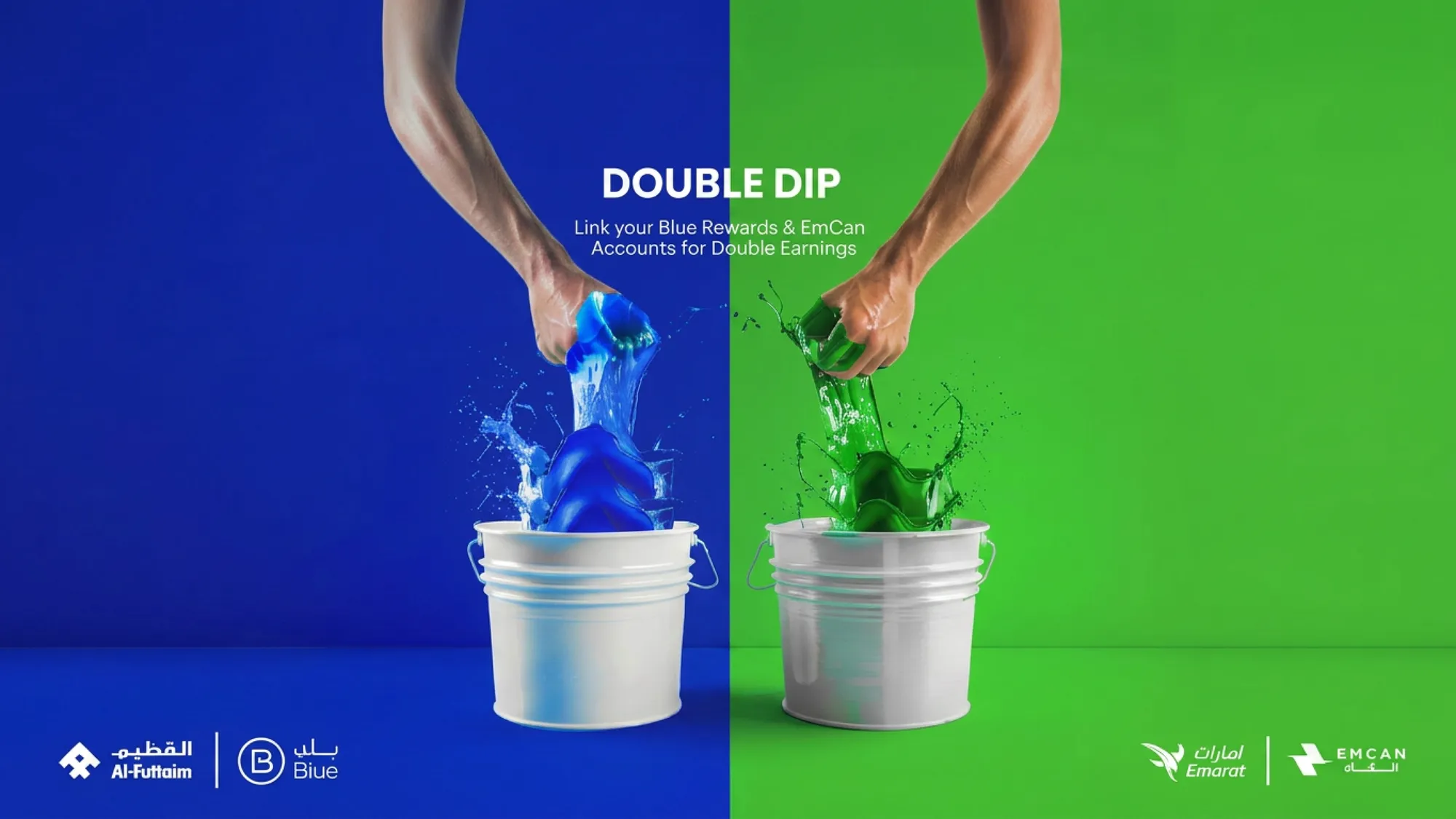
The brief
- Product
- EmCan is a national fuel and retail loyalty super-app with more than 100,000 users on iOS, Android and web. I was its Lead Product Designer and governed its design system across all three platforms.
- Business model
- The partnership was a cross-acquisition play: each programme marketed the other to grow both customer bases, and linked members earn on both sides. Commercial terms, such as who funds the points, weren’t part of my scope, so this case study doesn’t cover them.
- Why it mattered
- EmCan needed to grow two customer bases at once. Blue Rewards was its first partner-loyalty integration: the goal was to let both programmes’ customers discover and earn across each other, growing acquisition on both sides.
The problem
Joint feasibility sessions with EmCan’s PMO, EmCan’s tech team and Blue Rewards’ own tech team, working out how two separate identity systems could recognise the same customer with the least friction.
One identifier, and only one
Both apps used a phone number as the account’s unique identifier. Nothing else uniquely tied a user to their record.
Numbers couldn’t be changed in the app
Neither app let a user change their registered number from inside the app. A change meant contacting customer support.
Data crossed company lines
Linking meant sharing user data between EmCan and Blue Rewards over an API, so whatever identifier we matched on had to be trustworthy on both sides.
The decisions
Rejected: link two different numbers
Letting a user link accounts even when the registered numbers didn’t match left no reliable way to confirm it was the same person.
Rejected: verify by email
Email plus a verification step could have been the shared key, but neither app used email as its identifier, so it added a new step for everyone.
Chosen: require the same phone number
Match on the number already registered in both apps. Show it, don’t let it be edited. It reuses what exists and adds the fewest steps for most users.
Traded away: self-serve for mismatched numbers
A user with different numbers on the two apps has to contact support before linking. Editable cross-system matching would have meant more engineering and a bigger security surface, for a first integration that needed to ship fast and prove the model.
Final design
- Partners page in EmCan: “Unlock more with EmCan Partners!”
- Link or unlink?
- Link
- How it works, then “Link your EmCan and Blue Rewards accounts” with the mobile number
- Same number?
- Yes
- The EmCan number, already filled in
- No
- Type the Blue Rewards number
- Yes
- Account exists?
- Same number
- Link successful: “Double the fun unlocked!”
- Different number
- OTP verification
- Verified?
- Yes
- Link successful: “Double the fun unlocked!”
- No
- Code marked wrong; resend OTP and try again
- Yes
- No
- “Double oh no!”: download, sign up and try again
- Technical error
- “Uh oh!”: try again later
- Same number
- Unlink
- “Thinking of saying goodbye?”
- “Done!”: the accounts are unlinked
- Link
- Link or unlink from the partnership page.
- Same number on both apps: the accounts link straight away.
- A different number goes to OTP verification instead.
- No Blue Rewards account: download, sign up and try again. A technical error has its own screen.
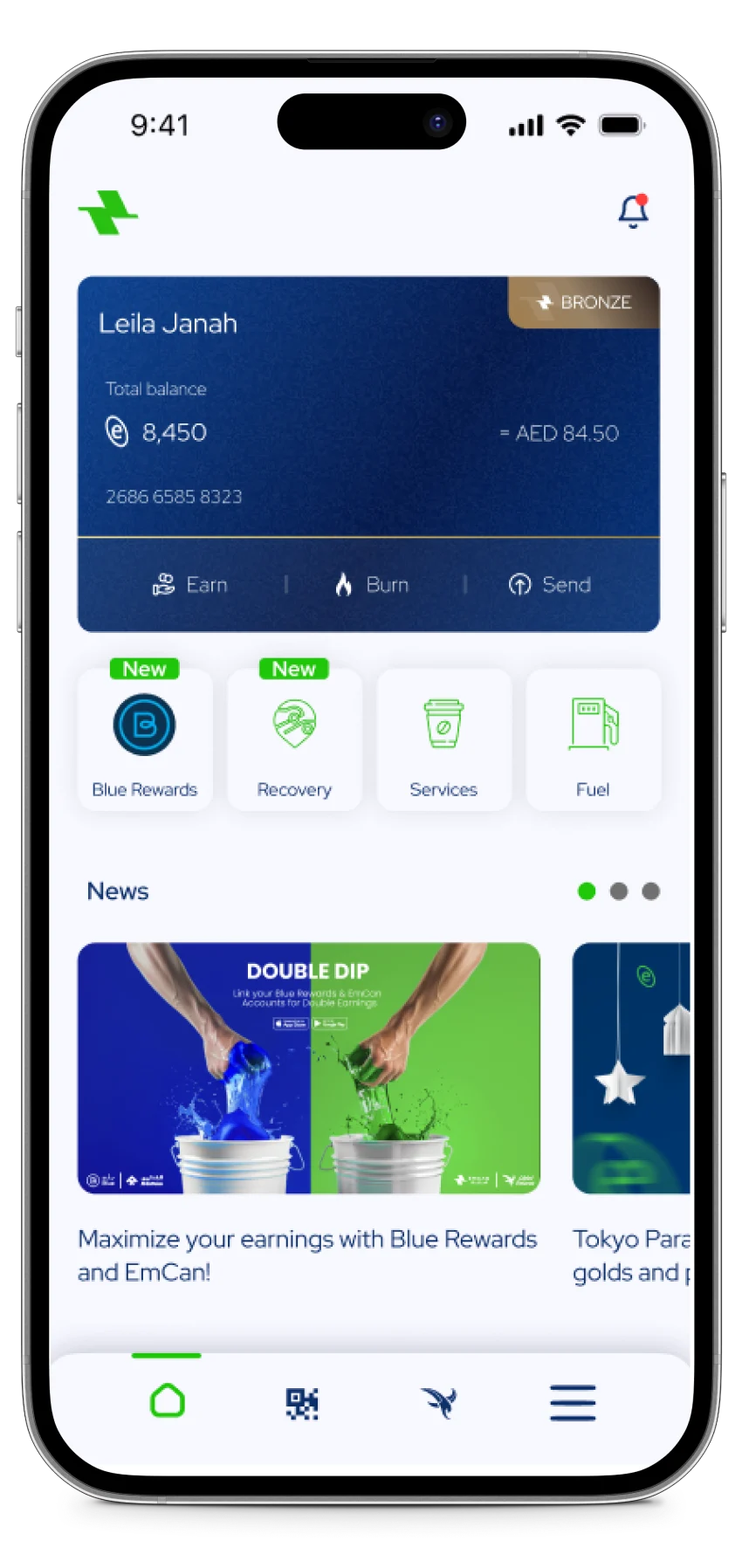
- The partnership surfaces on the EmCan homepage.
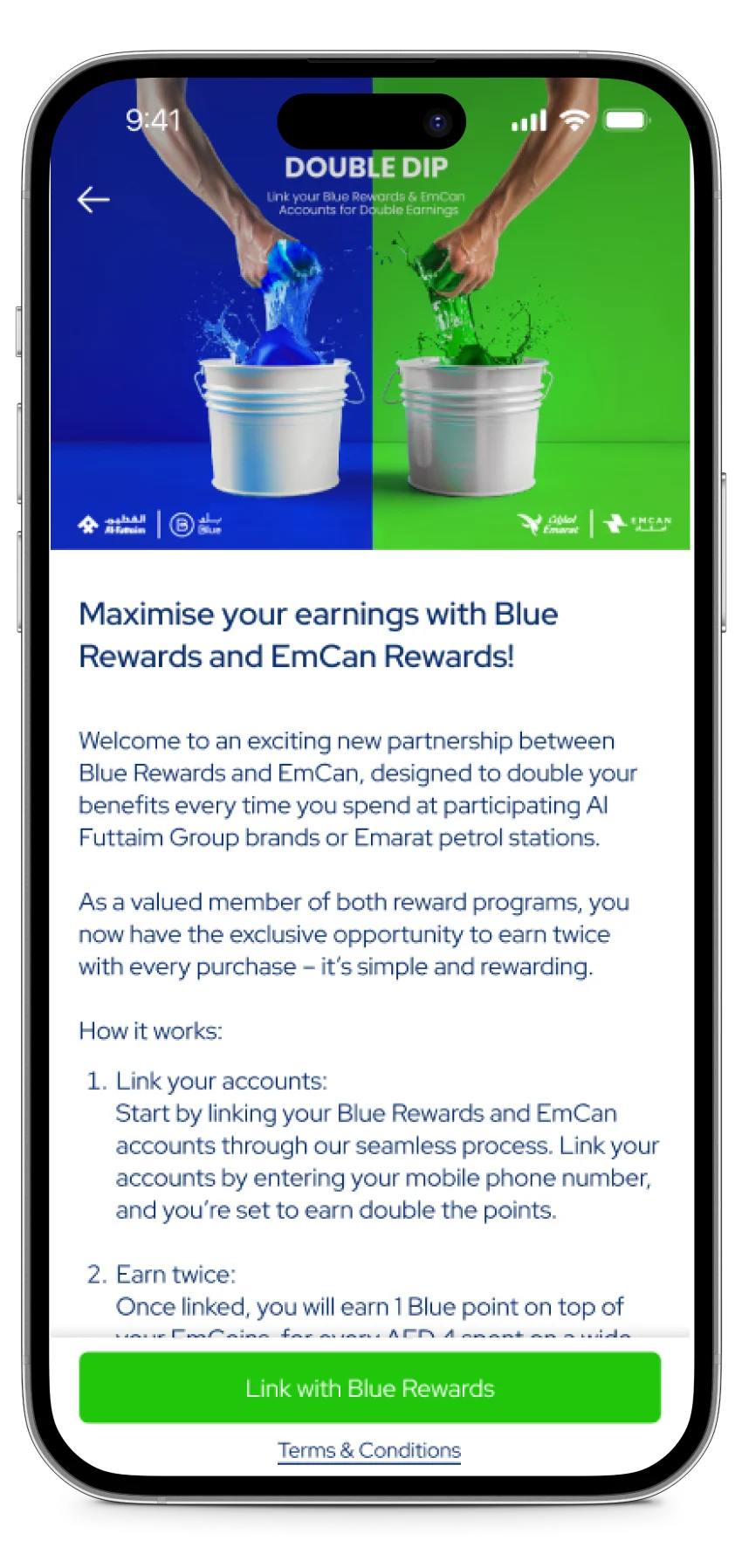
- A details screen explains how linking and dual earning work.
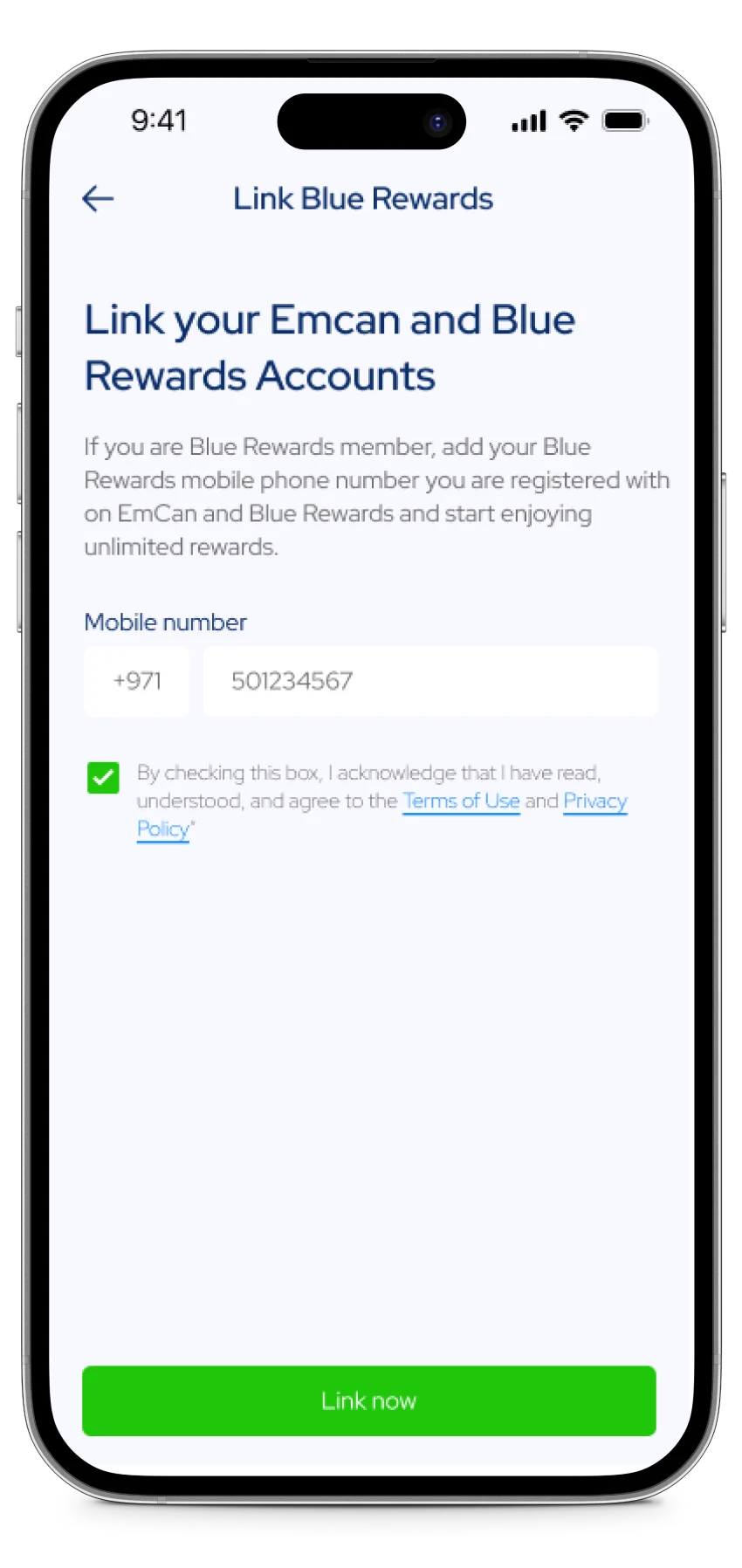
- Enter the Blue Rewards number and accept the terms.
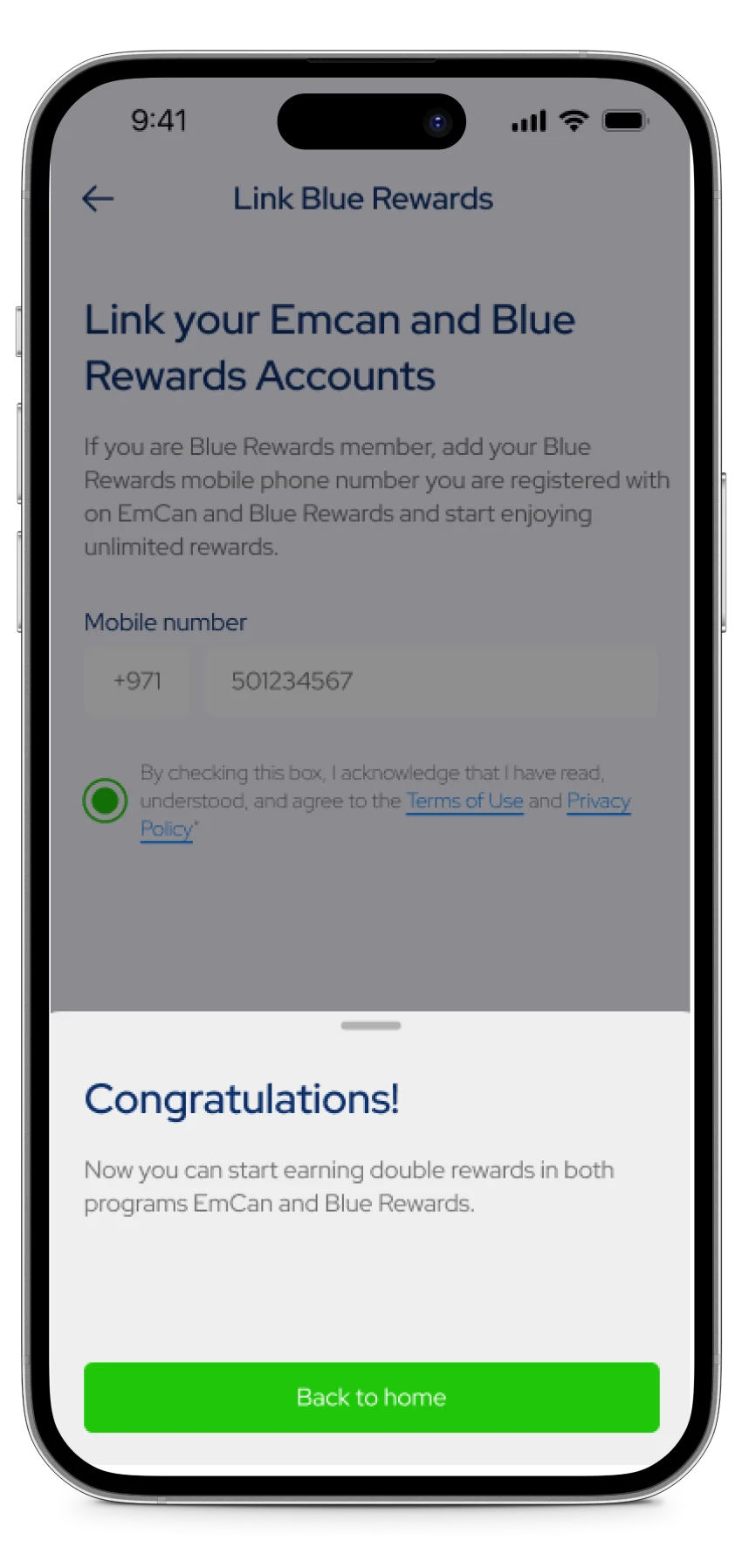
- Linked: both programmes earn from here on.
Where it went next
It didn’t become the template for what came next. EmCan’s Emirates Skywards and EtihadWE integrations in 2025 came with different, stricter identifier rules and needed their own approach each time.
During my time there the network grew from 110+ to 155+ locations. The work shipped as part of the programme that won Best Customer Loyalty Program (fuel stations category) at the Global Loyalty & CX Awards (Spectrum350) in 2024, and the Best Loyalty Customers Excellence Award at the MENA Refuel Forum.
It shipped as EmCan’s first partner integration. I don’t have linking or dual-earning figures I can share, so I’m not quoting any.
See it liveSources
Foundations
Colour
- Primary Green#20C60BGreen
- Primary Blue#001942Primary Blue
- Light Green#F6FFF2Light Green
- Light Grey#F4F4F7Light Grey
- White#FFFFFFWhite
- Grey#C1C0C0Grey
- Red#FF3C3CRed
- Yellow#FFEDB1Yellow
- Blue#0C2F6BPrimary/Blue
- Text dark#212529Text/Dark
- Text secondary#707070Text/Secondary
- Text disabled#DDDDDDText/Disabled
- Light background#F8F8FFLight/Background
- Dark tile#282D35Dark/Tile BG
Type
- Earn EmCoins on every fill-upTitle20 / 26 · 600Titles
- Partner offersSection title18 / 24 · 600English/Main/Title(Section)
- Redeem nowButton18 / 24 · 700Buttons
- Your points never expire while you stay active.Body16 / 21 · 400English/Main/Body
- Show this code at the counter to collect.Body small14 / 18 · 400Body
- Last updated today at 09:41Caption14 / 18 · 300English/Main/Caption
- Terms and conditions applySmall11 / 15 · 400Small Text
Radius
- Button, field, OTP · 5px
- Chip, tile · 10px
- Pill · 47px
Components
Input field
Click into one: the active state is the green border.


OTP
Type a code: each box moves you on. Paste works too.
Chips
Single-choice filters, in green and in blue.
Toggle
The library adopts Apple’s switch.
Bottom navigation
The selected item carries the green bar; both show the notification dot.


Offer tile
 LabelLabel
 Expiring in 20 days
 All stations